Three professional output paths
Choose 10-bit 4:2:2 ProRes Proxy, hardware-accelerated H.264, or compact HEVC Main10. Seven sizing options cover fixed 540p–1080p and percentage-based workflows without upscaling.
ProRes ProxyH.264HEVC Main10
Professional proxy workflow for macOS
Turn camera originals into edit-ready media without sending a frame off your Mac. ProxyForge combines dependable encoding with color management, metadata checks, and a workflow you can trust at batch scale.
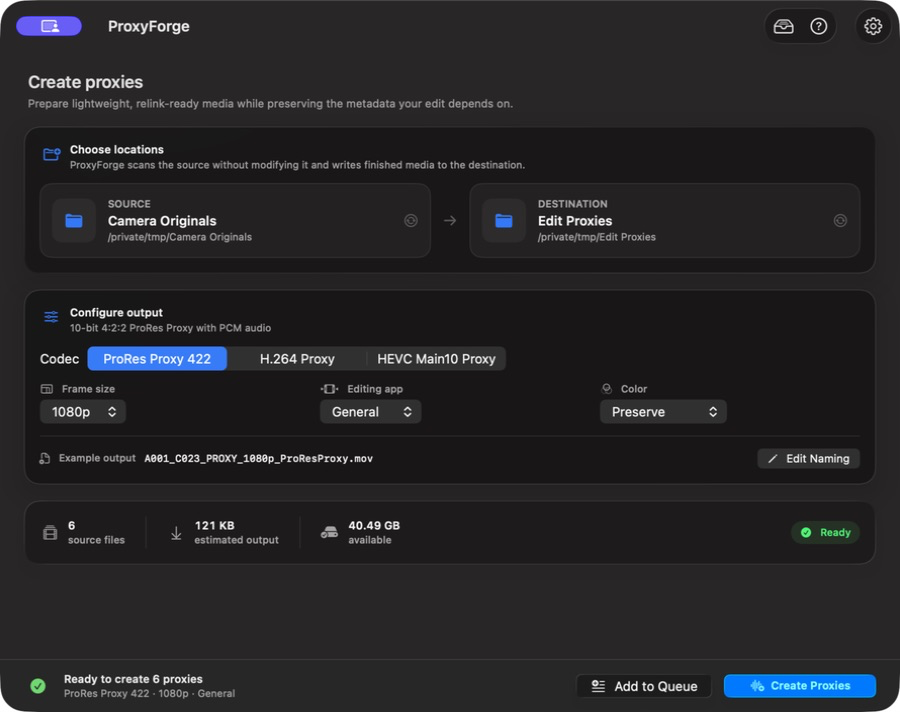
Capability without complexity
ProxyForge is designed around the details that make proxies useful in a real edit: relink-safe naming, preserved metadata, predictable color, observable batches, and recoverable work.
Choose 10-bit 4:2:2 ProRes Proxy, hardware-accelerated H.264, or compact HEVC Main10. Seven sizing options cover fixed 540p–1080p and percentage-based workflows without upscaling.
Preserve detected source color metadata or perform a real PQ/HLG and wide-gamut conversion to viewing-ready SDR Rec.709.
Preserve frame rate, field order, timecode, every audio stream, language tags, aspect ratio, and source folder structure.
Dedicated modes for Final Cut Pro, Premiere Pro, and DaVinci Resolve apply relink-friendly filenames and mode-specific validation.
Reorder, retry, import, and export jobs. Watch authorized folders or use Shortcuts while every permission remains under macOS control.
Every batch can produce a readable Markdown report and structured JSON manifest with source, proxy, color, audio, naming, and conformance details.
See the whole batch
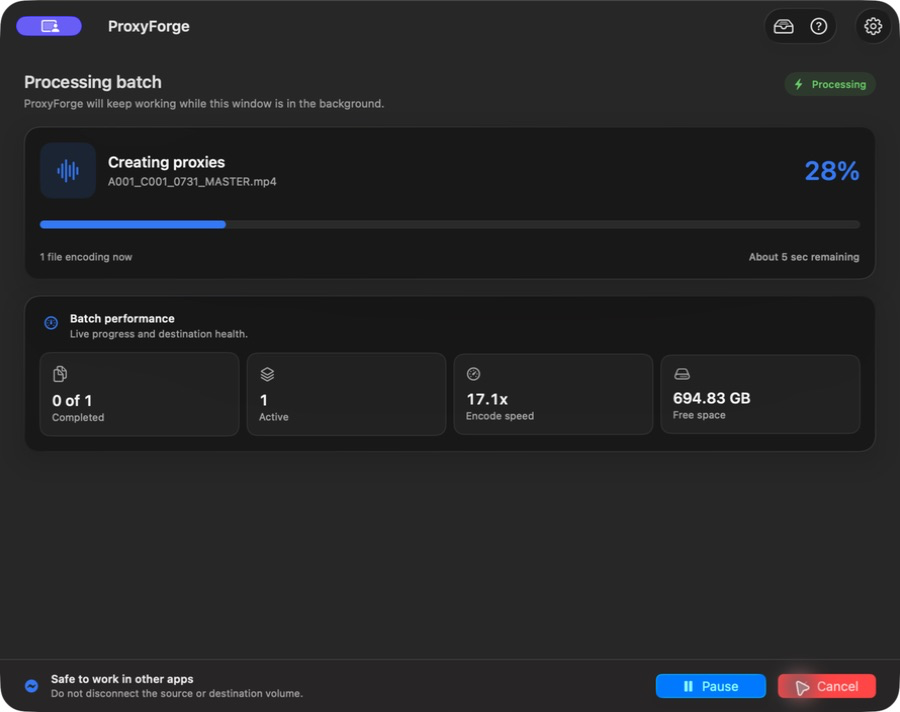
The interface follows the operator’s actual decisions and keeps the most important state visible at every stage.
Track the current file, overall progress, ETA, active workers, encode speed, and destination free space while the batch runs.
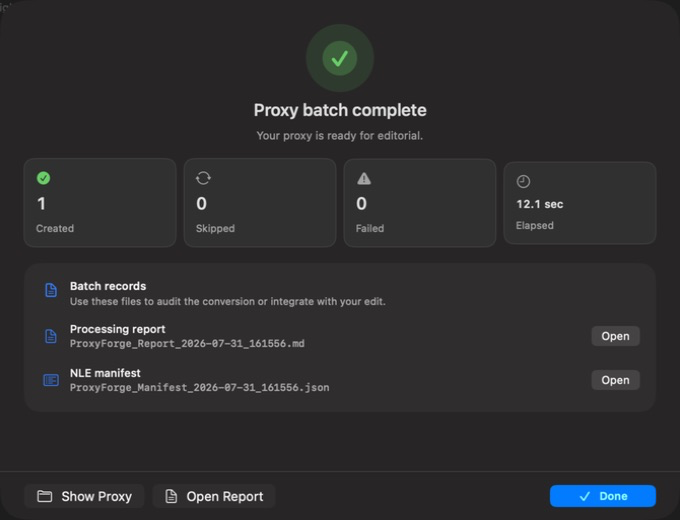
See created, skipped, and failed counts, reveal proxies in Finder, and open the report or manifest directly.
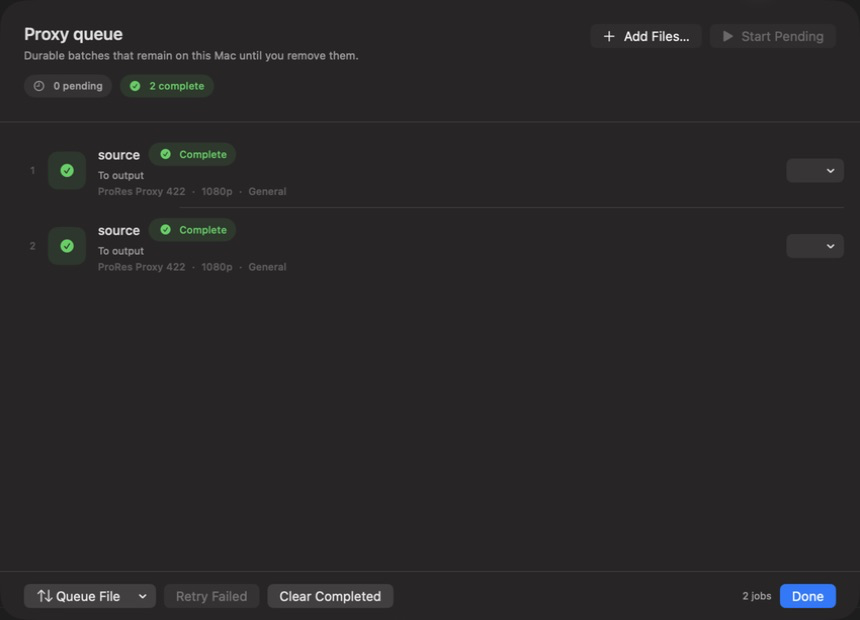
The persistent queue makes pending, completed, failed, and interrupted batches visible across launches.
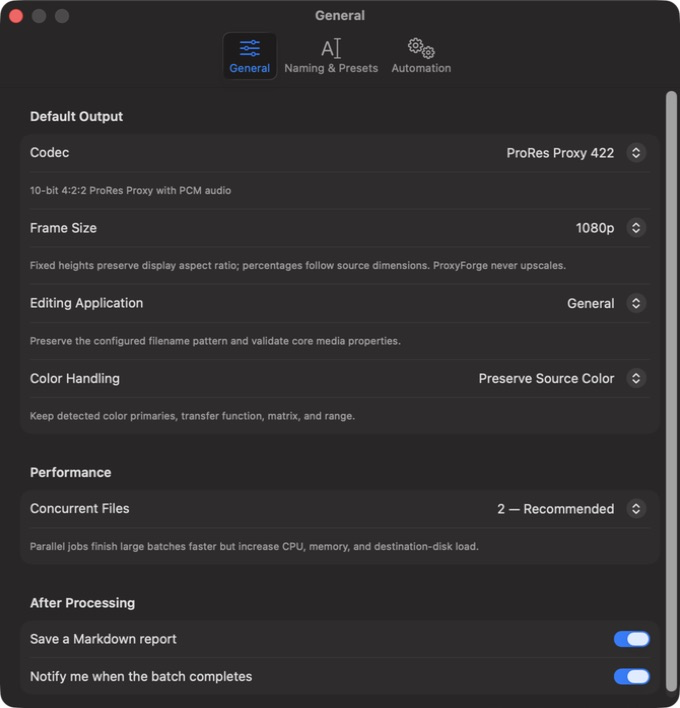
Defaults, naming and presets, and automation live in focused settings tabs instead of one overloaded form.
A calm four-step workflow
ProxyForge keeps setup explicit and repeatable, then gets out of the way while the batch runs.
Select or drop a source and a separate destination. Originals are scanned, never modified.
Choose codec, size, editing application, color handling, naming, and an optional saved preset.
Review file count, estimated output size, available storage, and the exact recipe before starting or queuing.
ProxyForge encodes to a temporary file, validates the result, then publishes it atomically with batch records.
Private by architecture
The macOS app performs media inspection and conversion locally. It contains no app analytics, telemetry, cloud processing, or phone-home mechanism. Website analytics are disclosed separately.

Ready for the next batch
ProxyForge is a one-time $14.99 purchase for macOS 26 or later, with no subscriptions, watermarks, file limits, or media uploads.